


Mobile Legend.
Mobile Legend.
See lessLost your password? Please enter your email address. You will receive a link and will create a new password via email.
Please briefly explain why you feel this question should be reported.
Please briefly explain why you feel this answer should be reported.
Please briefly explain why you feel this user should be reported.

Mobile Legend.
Mobile Legend.
See less
People would struggle first. Because daily life (communication, payments, navigation) depends heavily on the internet. Businesses would also suffer, but people would feel the impact immediately.
People would struggle first.
Because daily life (communication, payments, navigation) depends heavily on the internet.
Businesses would also suffer, but people would feel the impact immediately.
See less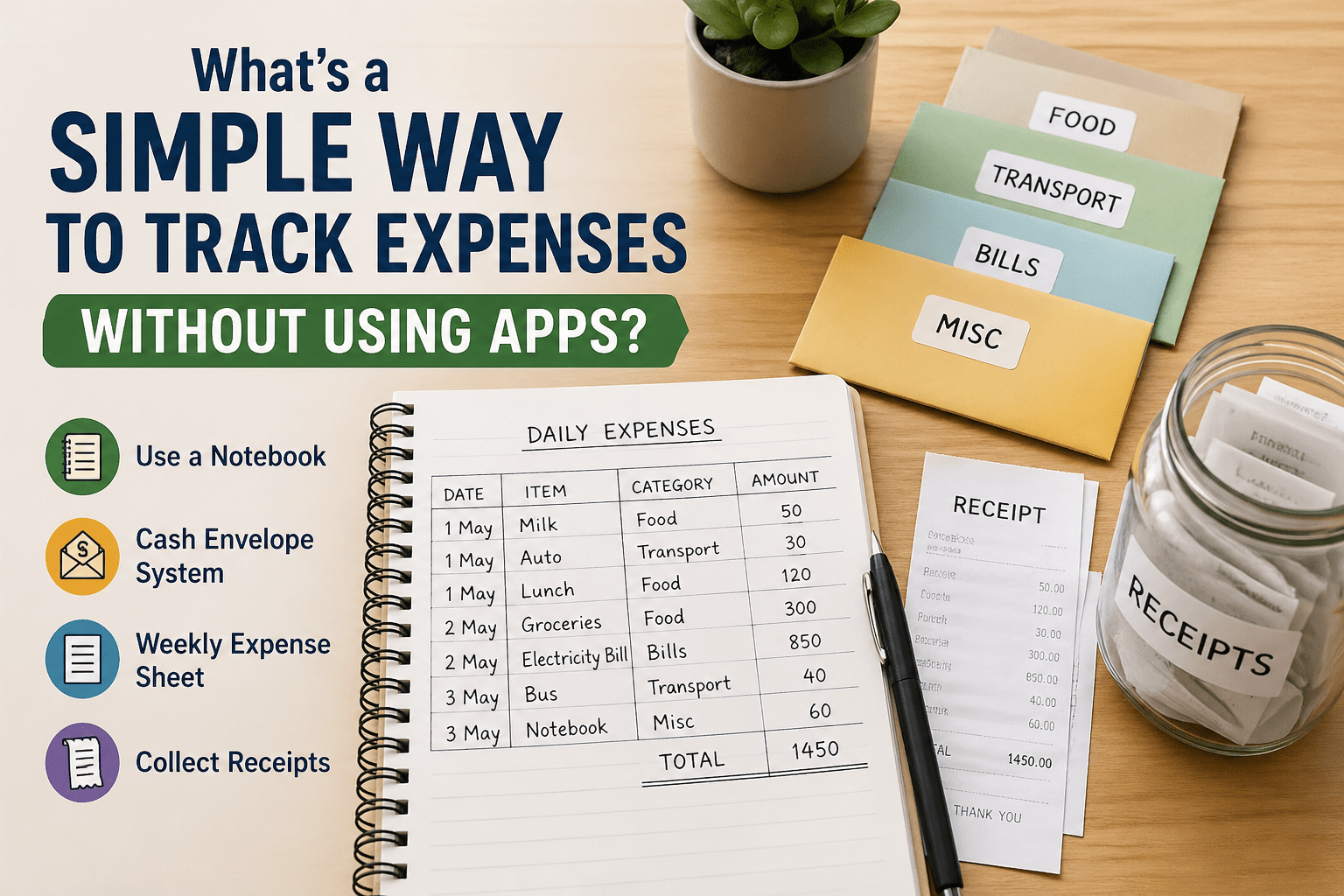
A simple way to track expenses without using apps is to write down everything you spend in a small notebook each day. This method works because it makes you more aware of your spending habits, helping you control unnecessary expenses. You can also use the cash envelope system, where you divide yourRead more
A simple way to track expenses without using apps is to write down everything you spend in a small notebook each day. This method works because it makes you more aware of your spending habits, helping you control unnecessary expenses. You can also use the cash envelope system, where you divide your money into categories like food, travel, and bills—once an envelope is empty, you stop spending in that category. These offline methods are easy, effective, and build strong financial discipline over time
See less
Quick follow-up checklist (easy steps): Charge both phones (at least 50%) and connect to Wi-Fi Keep both phones close and start setup on the new phone Choose “Transfer data” → use brand tool (like Samsung Smart Switch or Quick Start) or Google/iCloud backup Select what to copy (contacts, photos, appRead more
Quick follow-up checklist (easy steps):

Phone overheating is a common issue that can happen due to heavy usage, background apps, or hardware-related problems. While a little heat is normal, excessive overheating can affect performance and battery life. 🔥 Common Reasons for Phone Overheating Heavy Usage Gaming, video editing, or long videoRead more
Phone overheating is a common issue that can happen due to heavy usage, background apps, or hardware-related problems. While a little heat is normal, excessive overheating can affect performance and battery life.
👉 In such cases, check battery health or visit a service center
See lessTo contact XShield, visit their support page: https://xshield.com/support/ Fill out the form with your issue or use live chat for quick help. You can also contact them via email or helpline for assistance.
To contact XShield, visit their support page: https://xshield.com/support/
Fill out the form with your issue or use live chat for quick help. You can also contact them via email or helpline for assistance.
See lessWindows 11 – 5 Must Features (Easy Language) 1. Snap Layouts Screen ko easily divide karke multiple apps ek saath use kar sakte ho. 2. Virtual Desktops Alag-alag work ke liye separate screens bana lo (work / personal). 3. Widgets Weather, news, updates ek hi place par mil jaate hain. 4. New Start MeRead more
Windows 11 – 5 Must Features (Easy Language)
1. Snap Layouts
Screen ko easily divide karke multiple apps ek saath use kar sakte ho.
2. Virtual Desktops
Alag-alag work ke liye separate screens bana lo (work / personal).
3. Widgets
Weather, news, updates ek hi place par mil jaate hain.
4. New Start Menu
Simple aur clean design, apps jaldi mil jaate hain.
5. Clipboard History (Win + V)
Ek se zyada cheeze copy karke baad me use kar sakte ho.
See less
Microsoft Office 2024 Activation Steps 1. Go to Official Website Open browser and visit: https://www.office.com/setup 2. Sign In Login with your Microsoft account (If not, create a new account) 3. Enter Product Key Enter your 25-character product key (Example: XXXXX-XXXXX-XXXXX-XXXXX-XXXXX) 4. DownRead more
Microsoft Office 2024 Activation Steps
1. Go to Official Website
Open browser and visit: https://www.office.com/setup
2. Sign In
Login with your Microsoft account
(If not, create a new account)
3. Enter Product Key
Enter your 25-character product key
(Example: XXXXX-XXXXX-XXXXX-XXXXX-XXXXX)
4. Download Office
Click Install / Download
File will start downloading
5. Install Office
Open downloaded file
Follow on-screen setup instructions
6. Open Any Office App
Open Word / Excel / PowerPoint
7. Activate Office
Sign in again with same Microsoft account
Office will activate automatically ✅
See less
Windows 11 = Clean look outside, bossy attitude inside.
Windows 11 = Clean look outside, bossy attitude inside.
See less